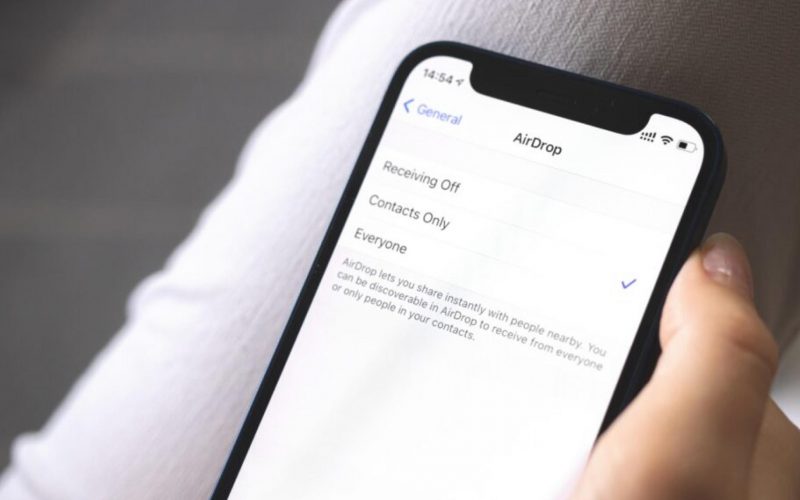
AirDrop, a beloved feature among Apple Inc. (NASDAQ:GOOGL) Google) and vice versa.
What Happened: Popular tech YouTuber Marques Brownlee took to Twitter, now rebranded as X, and shared a solution he discovered through a post by Mishaal Rahman on the same platform.
In his post, Rahman talked about a method to use AirDrop with an Android phone called WarpShare.
See Also: How To Cast ‘Harry Potter’ Spells With Siri On Your iPhone
WarpShare is developed by the creators of the MoKee custom ROM and allows Android users to send files to a MacBook using AirDrop’s protocol without requiring any installations on the Mac side.
This ingenious workaround breaks the one-way barrier, enabling Android-to-Mac transfers, but does not support transfers to iPhones or iPads.
To use WarpShare effectively, users’ Macs must have AirDrop discoverability set to “everyone” to bypass the need for Apple-signed certificates. However, it doesn’t enable Mac-to-Android sharing due to Apple Wireless Direct Link or AWDL limitations.
Brownlee then shared another relatively easier hack.
NearDrop empowers Android-to-Mac file sharing but requires users to install the app on their Mac. This app leverages Nearby Share capabilities and allows Android phones to recognize the designated Mac as a sharing destination.
While WarpShare requires sideloading or compiling from source code, NearDrop provides a more user-friendly experience for Mac users seeking to bridge the Android-Mac file-sharing gap.
For the unversed, AirDrop wirelessly allows users to receive and share photos, documents, and more with other Apple devices that are nearby.
Image Source – Shutterstock
View more tech hacks by following this link.
Read Next: How To Use Apple Wallet From The Lock Screen