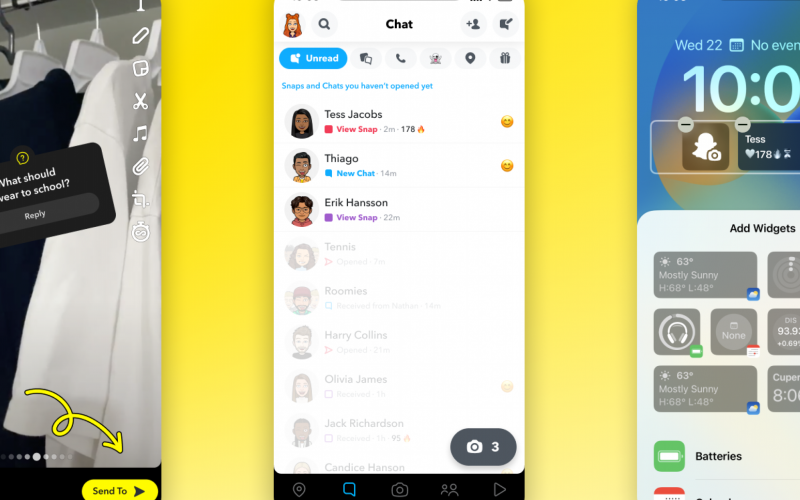
With the launch of iOS 16, Apple introduced a brand new lockscreen that you can actually customize. And Snapchat (NYSE:SNAP) is the latest app to bring up a brand-new widget for their iPhone users. The new widget will show you your bestie right into the lockscreen and you can start the conversation with one step without finding Snapchat in your app drawer and scrolling for your bestie in the app.
As most companies are starting to make their app ready for iOS 16, Snapchat becomes a new one on the list to bring new widgets and features, especially for iOS 16 devices. Not only widgets, but Snapchat is also introducing three others features for their app as well as the web version which they recently released.
Lock Screen Widgets
Snapchat added two widgets that you can add to your lockscreen:
- The first widget is Snapchat Camera, it is a square snap camera icon from which it will launch Snapchat and you can take the Snap instantly.
- The second widget which they added is a rectangle icon, in which you can choose a friend or group you most communicate with. The widget displays the person/group name, streak, and the emoji which shows next to the person’s name in Snapchat.
According to Snapchat Statment “keeps conversations with your bestie saved right to your lock screen so you can start chats with one tap. With this new tool, you can save yourself the scrolling when you want to start Snapping, keeping visual conversations with the Snapchat Camera right at your fingertips“
How to Add Snapchat Lock Screen Widgets
– Make sure your phone is in lock state
– Touch and hold anywhere on the lockscreen.
– It will bring up the edit page, select Customize button at bottom of the screen.
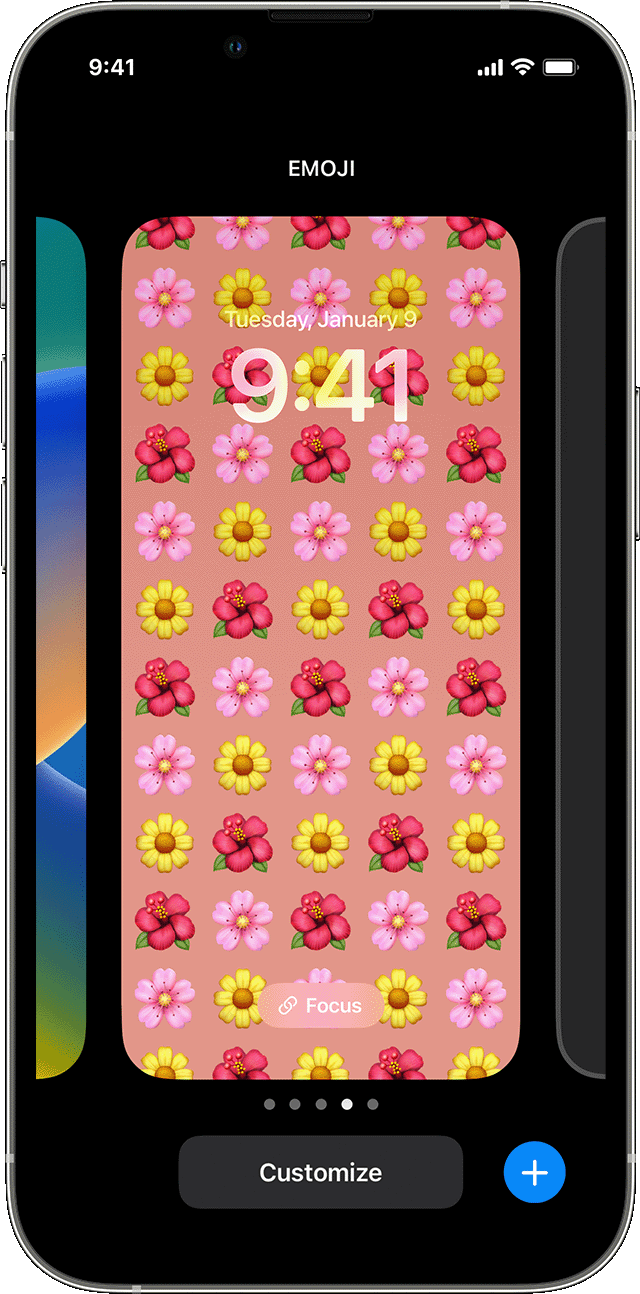
– Tap the row below or above the time to see the widgets that you can add to your lockscreen.
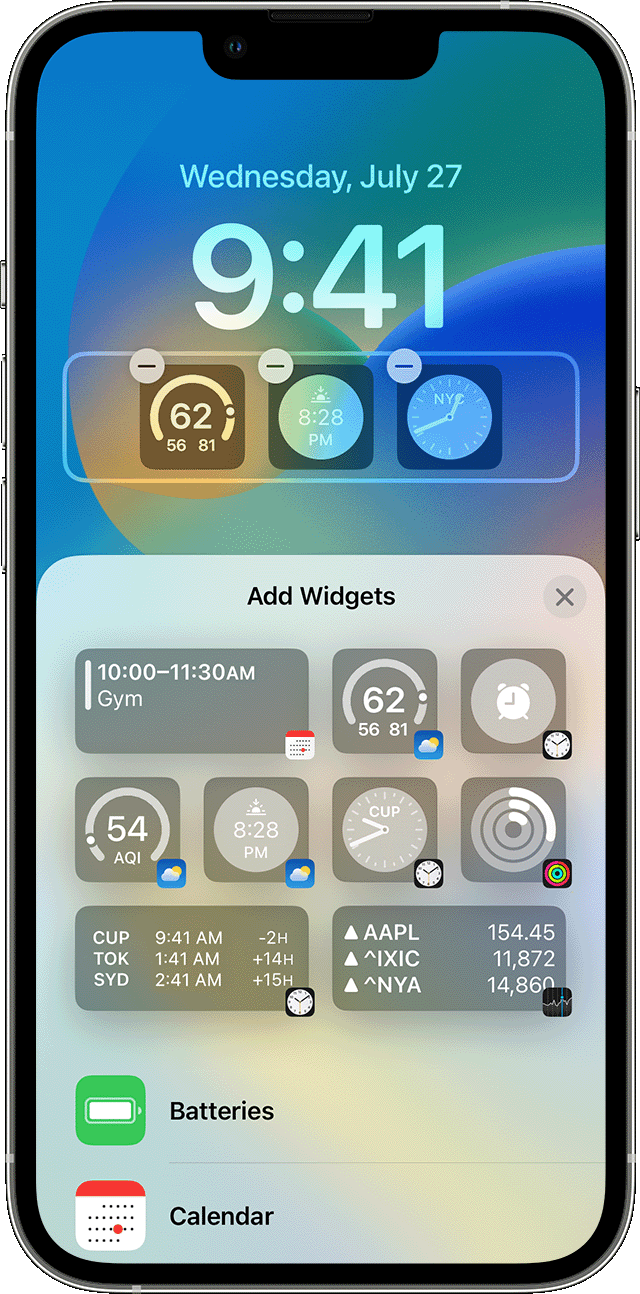
– Scroll down through the list of apps name below the default widgets to select Snapchat from the list.
– You can then select any of the two widgets by tapping or dragging them to your lockscreen.
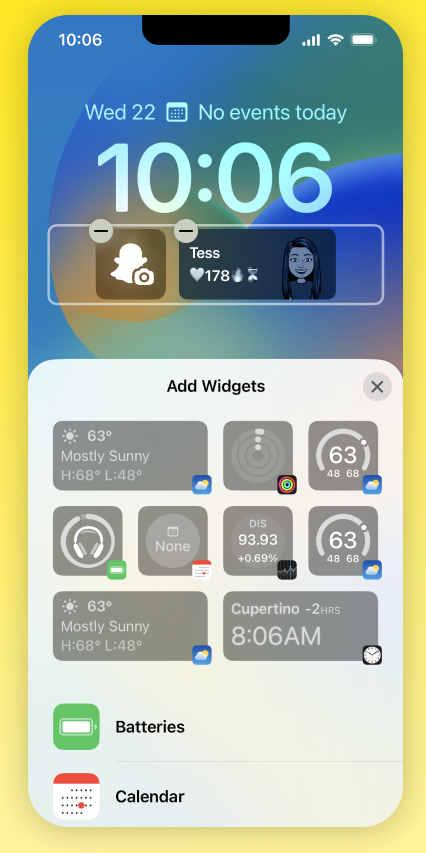
– Once it is added, tap done and close the add widget panel.
Image Source: Apple, Snapchat.com